
Photo Security for Crossdressers: Tips and Tricks to Make Sure Your Photos Don’t Get Seen When You Don’t Want Them To
By Jenn der Bentson
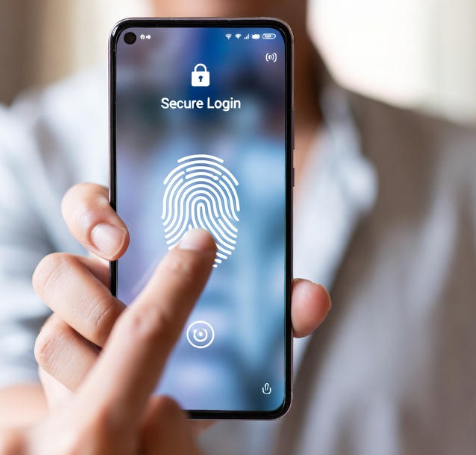 For many crossdressers, taking photos is more than a playful hobby—it’s an emotional lifeline, a way to celebrate femininity, document personal expression, and see yourself as you truly feel inside. The photos you take during dressing sessions often become cherished pieces of your journey: a favorite makeup look, a new dress that fits perfectly, or just the spark of happiness in your eyes when you feel fully yourself.
But as empowering as these moments are, they also come with risks. Modern devices store, sync, and back up photos so automatically that users often forget how easily images travel across apps, accounts, or devices. For crossdressers who must be careful—perhaps due to family, work, or life circumstances—one photo showing up in the wrong place can create panic or unintended conversations.
There are real challenges crossdressers face when it comes to photo security. It is worth thinking about realistic ways to keep your pictures completely private. Rather than presenting a list of rigid rules, let’s walk through the concerns and options in a more conversational, experience-based way.
The Hidden Dangers of Cloud-Based Photo Storage
Most crossdressers don’t think about storage risks the first time they take selfies while dressed. You snap the photo, admire it for a moment, maybe review a few poses. It feels intimate, personal, and contained in the moment. But behind the scenes, phones and computers rarely leave images in just one place.
Cloud storage—iCloud, Google Photos, OneDrive, Dropbox, and similar services—is one of the biggest sources of accidental exposure. These services are designed for convenience. The moment a photo is taken, it often begins syncing in the background to cloud servers. From there, the image can appear on any device tied to that cloud account: a shared iPad, a family laptop, a computer used by someone else in the household.
Some crossdressers tell stories of discovering their femme pictures in a photo widget on the family iPad, or in the “recent photos” view on a partner’s computer that was automatically logged into the same cloud account. Others only realize the connection after they get a new phone—and suddenly all their old femme photos, long deleted, appear again through an automated cloud restore.
Another thing many overlook is that apps connected to cloud storage—messaging apps, photo editors, and social media platforms—often show your entire device gallery when you open them. A simple attempt to share a vacation photo could easily display a thumbnail of crossdressing pictures if everything is stored in one place.
For the crossdresser trying to maintain privacy, this interconnected digital ecosystem can feel like a minefield. That’s why the first major step in protecting your photos involves deciding where they should and should not live.
Rethinking Where Your Photos Live: Separating Your Femme Digital Space
One of the most secure and effective strategies is to create a completely separate digital space for your femme identity. For some, that means an actual second device. For others, it involves external drives, encrypted folders, or unique cloud accounts used only through private browsing.
Let’s explore these options in a more fluid, real-world context.
Using a Separate Device: A Dedicated Space for Your Feminine Self
Many crossdressers find peace of mind in having a completely separate phone, tablet, or even a small digital camera used only during dressing sessions. The beauty of a separate device is that it keeps everything self-contained. Nothing automatically syncs, backs up, or transfers unless you deliberately make it happen.
Imagine having a small, discreet smartphone that isn’t logged into your everyday Apple, Google, or family accounts. When you take photos, they stay exactly where you put them. No surprise uploads, no unexpected icons popping up on someone else’s screen, and no confusing ties to shared cloud services. This device can be old, inexpensive, or even something purchased secondhand; it doesn’t need to be fancy, just fully separate from your regular digital life.
A separate device gives you a fully private space to explore, pose, and document your feminine side without worrying who else might see. For crossdressers who need maximum security, this is often the most comforting and foolproof method.
Keeping Photos Offline: External Drives and Encrypted Storage
Not everyone wants to maintain a second device, and that’s where offline storage options come in. Many crossdressers prefer external hard drives, USB flash drives, or microSD cards because they remain completely disconnected from the internet unless you plug them in intentionally.
This approach appeals to those who want physical control over their photos. The drive stays hidden in a place no one else accesses. When you want to review or edit your femme pictures, you plug it into your computer, enjoy your time, and unplug it when you’re done. Once it’s disconnected, those photos become invisible to any software, app, or shared account.
Some choose encrypted drives for an added layer of protection. These drives require a PIN or password to open, so even if someone finds the device, they can’t simply click their way into your private world. The sense of safety that comes from knowing your memories are secured in a physical object—not scattered throughout cloud servers—is incredibly reassuring.
Using De-Identified Cloud Accounts: Smart, Careful, and Private
Not every crossdresser wants to stay offline. Some participate in online communities, share their photos, or simply appreciate the convenience of cloud access. That’s where de-identified cloud accounts come in—a middle ground between security and accessibility.
Picture creating an entirely new email and cloud login, something with no ties to your real identity. Perhaps it uses your femme name or something neutral. This account exists solely for storing crossdressing photos, and you only access it through private browsing or incognito mode. There’s no autofill, no cross-login with your everyday profiles, and no accidental syncing to shared devices.
When approached with intention, this method allows you to store your photos online without worrying about them resurfacing in your normal accounts. Many crossdressers appreciate the flexibility: you can view or upload photos from anywhere, but the virtual doors between your two identities remain firmly shut.
This approach does require discipline—logging out every time, using private browsing windows, removing metadata, and staying consistent. But for many, the balance of convenience and anonymity feels worth it.
Vault Apps and Hidden Folders: Subtle Ways to Keep Photos Out of Sight
Vault apps—those disguised as calculators, file utilities, or note-taking tools—offer another method of protection. They tuck your photos behind a secondary layer of security: a PIN, biometric lock, or hidden access gesture.
Some crossdressers like vault apps because they blend in seamlessly on a phone’s home screen. To a casual observer, the app looks like any other mundane utility. Only you know how to unlock the private gallery inside.
The challenge with vault apps is that they’re best used as supplemental protection, not the sole method. If someone is tech-savvy or curious enough, the presence of a disguised app might raise questions. And if the app syncs to a cloud account or stores thumbnails in recent history, you could still create accidental traces. Nevertheless, for discreet day-to-day hiding, vault apps can provide comfort and practical shielding.
Exploring Non-Connected Cameras: A Classic Approach That Still Works
There’s something refreshingly simple about using a dedicated digital camera—a tool that doesn’t connect to Wi-Fi, cloud services, or apps. It can feel oddly liberating to take crossdressing photos the same way people did before smartphones became universal.
With a standalone camera, your pictures exist only on an SD card. They don’t sync, upload, or appear in unexpected places. When you want to transfer them, you plug the SD card into your computer and move the files exactly where you want them. For some crossdressers, especially those who value high-quality photos or enjoy dressing up for more formal photography, this method feels both retro and remarkably secure.
Creating a Second User Account on a Computer: Separation Without Extra Hardware
If buying another device isn’t practical, many crossdressers quietly establish a second user account on their computer. This gives you a separate digital environment with private folders, a clean browser history, and no links to cloud services associated with your everyday life.
It’s not the most bulletproof method—after all, the device itself is still shared—but it does create boundaries that prevent your femme photos from mingling with your standard files. It can also be useful if you use editing software or want to browse crossdressing websites without altering your main browser history.
Even so, this method works best in combination with something else—like using it alongside an external drive—to minimize the chance of accidental exposure.
The Temporary Photo Strategy: Enjoying the Moment Without Keeping Records
Some crossdressers feel safest when they avoid storing photos long-term altogether. They take pictures during a dressing session, enjoy them, admire their best angles, and then delete everything once the moment has passed.
This approach centers on the experience, not the archival value. It allows you to express yourself freely without worrying about future discovery.
But if you follow a temporary photo strategy, you must be meticulous:
- Cloud backups must be turned off before taking photos.
- Recently deleted folders need to be cleared.
- App caches should be emptied.
- Screenshots, thumbnails, and hidden duplicates must be deleted.
- And ideally, the device should be restarted afterward.
For the crossdresser seeking zero long-term risk, this offers the cleanest slate.
Everyday Habits That Keep You Safe: Building a Routine of Digital Care
No matter which main method you choose—separate device, external drive, de-identified cloud account—there are certain everyday practices that greatly reduce risk.
This is where photo security becomes more like self-care than a chore. Many crossdressers develop a gentle routine around their photos, treating the process as part of their feminine ritual.
One of the most important habits is turning off cloud backups before a dressing session. Many phones hide these settings deep in menus, but taking a few moments to confirm they’re disabled can spare you tremendous anxiety later.
Another key practice is avoiding opening femme photos in everyday apps. Messaging apps, social media platforms, and photo editors often generate thumbnails or store copies for convenience. Keeping your femme photos in separate locations ensures they don’t accidentally appear when you least expect them.
Clearing “recently deleted” folders and caches is another simple but powerful habit. Many people don’t realize that deleting a photo doesn’t truly delete it; it often stays in a recovery folder for 30 days or more.
Developing a consistent cleanup routine—move photos to your secure location, remove them from your phone, clear trash, and double-check that no app is still storing copies—helps keep your digital world neatly divided.
Sharing Photos Safely: When You Want Others to See Your Feminine Side
Many crossdressers find validation and joy in sharing photos with trusted people or within supportive online communities. But once a photo is shared, control becomes limited. That’s why safe sharing practices matter just as much as safe storage.
Using a separate email and online identity is one of the most important steps. Your femme persona deserves its own space, separate from your day-to-day identity. Strip metadata before sharing—things like device model and geolocation can unintentionally reveal details you didn’t intend to share.
Some crossdressers prefer to share only cropped or low-resolution images. Others avoid showing their face entirely until they feel fully comfortable. These choices aren’t about fear—they’re about empowerment. You get to decide how much of your femme self you reveal, and when.
Sharing photos can be deeply affirming, but it should always be done on your terms and with the privacy measures that make you feel fully in control.
Final Thoughts: Keeping Your Photos Private Is a Form of Self-Love
Crossdressing is a journey filled with excitement, discovery, beauty, and self-expression. Your photos tell pieces of that story, capturing the versions of yourself that may not always get to shine openly in your everyday life. Keeping those photos safe isn’t paranoia—it’s a form of self-protection and self-care.
When your images are stored thoughtfully and securely, you can enjoy your dressing sessions without fear. You gain the freedom to explore, pose, experiment with makeup, and admire your femininity without worrying about who might stumble across your private world.
Whether you choose a separate device, an offline drive, an anonymous cloud account, or a short-lived “delete after dressing” routine, the most important thing is to do what makes you feel safe, comfortable, and confident.
I stupidly outed myself to my adult daughter by allowing my mobile to backup my crossdressed photos to Amazon web services. What I hadn’t realised was that Amazon Fire on my television also had access those photos. One or two could have been dismissed as fancy dress but the other 100 or so were definitely proof of a sissy fetish crossdresser Dad. I’m greatful that she didn’t make a big deal about the photos, she had been aware of the dresses, headscarves, panties and makeup when she opened my suitcase tucked away at the back of my wardrobe when she wanted to borrow my bigger suitcase for her holiday.