
Using Private Browsing Options to Minimize Ad Targeting as a Crossdresser on Your Digital Devices
by Jenn der Bentson
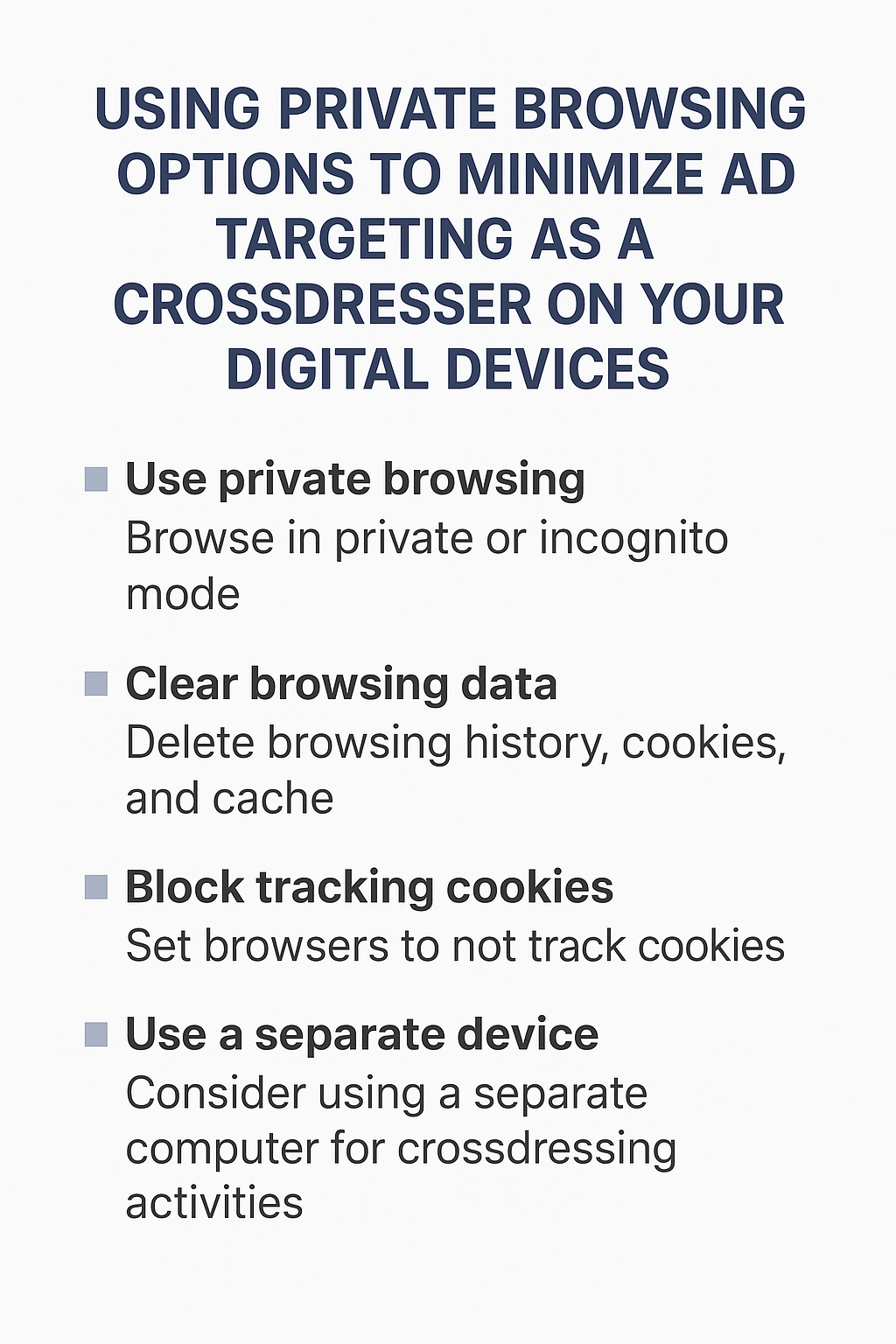 Crossdressing is a deeply personal and often private part of life for many of us. For some, it’s a cherished hobby. For others, it’s an important part of self-expression or even identity. No matter where you fall on that spectrum, one common challenge stands out: how to keep your online activity private when shopping, researching, or simply browsing crossdressing-related content.
We live in a digital world where everything we do online leaves traces—some of them more obvious than others. One of the most frustrating experiences I’ve had personally was visiting websites for women’s fashion—dresses, lingerie, heels, you name it—only to have ads for those same items start popping up later when I was browsing unrelated sites. The kicker? I wasn’t alone. A family member noticed one of those ads on my laptop, and while I brushed it off at the time, it left me shaken.
That’s the reality of online ad tracking today. If you don’t take steps to minimize it, your secret browsing sessions can quickly bleed into your everyday digital life. The good news is that there are simple, effective ways to reduce these risks. In this post, I’ll walk you through private browsing, clearing caches, blocking cookies, and other strategies to keep your crossdressing exploration private.
Why Ad Targeting Happens in the First Place
Before we dive into solutions, it’s worth understanding how ad targeting works. The modern internet runs on advertising. When you visit a website, it almost always stores some information on your computer—small text files called cookies. These track your activity and can follow you across multiple sites.
Here’s a simple breakdown:
- You visit a lingerie site. A cookie gets stored that says, “This user likes browsing women’s underwear.”
- You later visit a news site. The ad network behind that site already has access to that cookie. Suddenly, you’re seeing ads for bras instead of car insurance.
- Someone else uses your computer. They see those lingerie ads and start asking questions you may not be ready to answer.
It’s not just cookies either. Your browsing history, cached files, and even login accounts tied to Google, Microsoft, or Apple can all feed into targeted ad algorithms. That means one evening of browsing for cute heels could translate into a week of shoe ads—on your work computer, your home laptop, or your shared family tablet.
The Privacy Tools Already on Your Browser
Almost every modern internet browser—Google Chrome, Mozilla Firefox, Microsoft Edge, Safari, Opera—offers some form of private browsing. It’s usually just one click away, but many people either don’t know it exists or don’t fully understand what it does.
What Private Browsing Really Does
Private browsing goes by different names depending on your browser:
- Chrome: Incognito Mode
- Firefox: Private Window
- Edge: InPrivate Browsing
- Safari: Private Browsing
- Opera: Private Window
All of them essentially do the same thing: they create a temporary browsing session that doesn’t save your history, cookies, or cache once the window is closed.
This means:
- The sites you visit won’t appear in your browser history.
- Any login sessions end once you close the private window.
- Cookies aren’t stored long-term, which reduces targeted ads.
It’s not bulletproof (more on that later), but it’s a strong first line of defense.
Clearing Browsing Caches and Cookies
Let’s say you didn’t use private browsing. That doesn’t mean all is lost. You can still clean up after yourself by clearing your browsing history, cache, and cookies.
Why Clear Them?
Your browser cache stores little bits of website data to make loading faster the next time you visit. Cookies store information about what you did on the site. If you never clear these, they accumulate—and that’s where ad networks get their insights about you.
How to Clear Them
- Chrome/Edge/Opera:
Go to Settings > Privacy and Security > Clear Browsing Data. Choose to clear history, cookies, and cached files. - Firefox:
Go to Options > Privacy & Security > Cookies and Site Data > Clear Data. - Safari (Mac):
Go to Preferences > Privacy > Manage Website Data > Remove All.
Make it a habit: clear your browsing data after every crossdressing-related session. It only takes 10 seconds, and it can save you a world of worry later.
Adjusting Cookie and Tracking Settings
Even outside private browsing, you can tell your browser to block third-party cookies and limit tracking. This makes your day-to-day browsing safer, even if you forget to go private once in a while.
Blocking Third-Party Cookies
Most browsers have a toggle for this in their privacy settings. Third-party cookies are the main culprits in following you across websites, so blocking them goes a long way.
Do Not Track Requests
Some browsers also have a “Do Not Track” option you can enable. While not every website honors it, it adds another layer of protection.
Site-Specific Controls
For example, Chrome lets you set custom permissions for individual websites. If you know you’re about to browse lingerie shops, you can deny them cookie access altogether.
The Pitfalls of Not Managing Ads
Let me be blunt: ignoring this stuff can lead to uncomfortable, even embarrassing situations.
Imagine these scenarios:
- You’re showing your spouse something online, and an ad for “size 12 stilettos” appears.
- You’re in a work meeting, screen-sharing your browser, and a sidebar ad for “Plus-Size Pantyhose” pops up.
- Your teenage kid borrows your laptop and suddenly starts asking why the computer is full of ads for women’s wigs.
These situations might sound funny in hindsight, but in the moment, they can create anxiety, suspicion, or even conflict.
Advanced Tools for the Privacy-Minded
If you want to go beyond the basics, there are more advanced options that can make your browsing sessions almost invisible to ad trackers.
Use a Separate Browser
One simple method is to use a separate browser entirely for your crossdressing activities. For example:
- Everyday browsing: Chrome
- Crossdressing browsing: Firefox
This way, your history, cookies, and saved logins don’t overlap.
Create Separate Profiles
Most browsers allow multiple profiles or users. You could create one specifically for your femme side, complete with its own bookmarks, extensions, and logins. Just make sure it’s password-protected so others don’t stumble into it.
VPNs
A Virtual Private Network (VPN) masks your IP address, making it harder for websites to tie activity back to you. While VPNs are primarily about security and location masking, they also reduce some forms of ad tracking.
Ad Blockers
Extensions like uBlock Origin or AdGuard block ads entirely, including many that rely on tracking cookies. This doesn’t replace private browsing but works well alongside it.
The Gold Standard: A Separate Device
Here’s the truth: the only foolproof way to completely separate your crossdressing browsing from your everyday digital life is to use a separate device.
That could mean:
- A second laptop
- A tablet
- Even a dedicated smartphone
Pair it with a unique email address and browser login profile, and you’ve created a digital space that’s 100% yours.
Yes, it’s an extra cost. But for many, the peace of mind is worth it.
My Personal Wake-Up Call
Let me share a personal story here because I think it drives the point home.
Years ago, before I learned all these tricks, I spent a late evening browsing some women’s clothing sites. I added a few dresses to my cart but didn’t check out. The next day, I was on a completely unrelated site—checking sports news, I think—and there it was: a banner ad for the exact dress I had been looking at.
At first, I laughed. But then a family member walked by, glanced at the screen, and raised an eyebrow. I tried to play it off like it was just some random ad, but inside, I was mortified. That was the moment I realized just how leaky the internet can be when it comes to privacy.
Since then, I’ve taken my digital hygiene seriously. And I can tell you from experience—it works. I haven’t had a crossdressing-related ad show up in my “vanilla” browsing life for years now.
Putting It All Together: A Step-by-Step Guide
Let’s recap with a simple checklist you can follow every time:
- Before browsing:
- Open a private/incognito window.
- Make sure “block third-party cookies” is enabled.
- During browsing:
- Stay logged out of your main accounts (Google, Facebook, etc.).
- Consider using a VPN or ad blocker.
- After browsing:
- Clear your history, cache, and cookies (if you didn’t use private mode).
- Close all private windows.
- Long-term habits:
- Use a separate browser or profile for crossdressing.
- Consider investing in a separate device.
A Few Extra Tips
- Be careful with autofill. If you use your real name and address on your browser’s autofill settings, it could auto-populate when you’re buying something femme. Double-check before clicking “purchase.”
- Email accounts matter. Create a separate email for femme shopping or newsletters. That way, your inbox doesn’t mix things up.
- Beware of shared devices. If you live with others, avoid browsing femme content on shared family computers. Even private browsing isn’t foolproof there.
Being a crossdresser in today’s digital world is both easier and trickier than ever. Easier, because resources, communities, and shopping options are just a click away. Trickier, because every click leaves a trail that advertisers—and sometimes the people around us—can see.
By taking advantage of private browsing, clearing your cache, managing cookies, and maybe even setting up a completely separate device, you can reclaim control over your digital privacy. These aren’t just “tech hacks”—they’re tools of empowerment. They allow you to explore your femme side with confidence, knowing that your secret won’t accidentally slip out through an ill-timed ad.
I’ve been there. I’ve had the “oops” moments. And I’ve learned from them. That’s why I’m sharing this with you—not to scare you, but to remind you that you’re not alone, and there are simple steps you can take to protect yourself.
At the end of the day, your journey is yours. And you deserve the freedom to explore it privately, safely, and without digital breadcrumbs giving you away.
Comments
Using Private Browsing Options to Minimize Ad Targeting as a Crossdresser on Your Digital Devices — No Comments
HTML tags allowed in your comment: <a href="" title=""> <abbr title=""> <acronym title=""> <b> <blockquote cite=""> <cite> <code> <del datetime=""> <em> <i> <q cite=""> <s> <strike> <strong>